Blog #2: Social Media & Google
/cdn.vox-cdn.com/uploads/chorus_image/image/59226439/jbareham_170504_1691_0004.0.0.jpg) Every day, millions of people use Google. There are a few tips and tricks that can help make your searches faster. Most users are not using Google to its max potential. Joseph Hindy teaches us a few things that can make our searches easier. One of the most important things to do is select one of the tabs when searching. Whether it be an image, a video, or shopping. Using quotes is another way to find the content you are looking for. By searching a phrase in quotes, it will eliminate the irrelevant information you were not searching for. One of my personal favorites is using the syntax. You can search for similar websites by searching "related: (fill in the blank)." This is an easy way to find new websites to browse.
Every day, millions of people use Google. There are a few tips and tricks that can help make your searches faster. Most users are not using Google to its max potential. Joseph Hindy teaches us a few things that can make our searches easier. One of the most important things to do is select one of the tabs when searching. Whether it be an image, a video, or shopping. Using quotes is another way to find the content you are looking for. By searching a phrase in quotes, it will eliminate the irrelevant information you were not searching for. One of my personal favorites is using the syntax. You can search for similar websites by searching "related: (fill in the blank)." This is an easy way to find new websites to browse.Google has made it easier for users to create new projects. They made some shortcuts so you can go right from your browser to any Google Doc, Slides, Sheets, or Forms. You simply have to search whatever form of Google you wanted and finish it with ".new." For example, if I wanted to go to Google Slides, I would search slides.new in my browser to access a new blank slide. This alleviates the wait and allows for a faster way to get to what you want.

When using Google Slides, there are some easy ways to turn your basic presentation into a professional one. When my class video chatted with Jon Neale, he taught us how to make the perfect presentation. Importing a theme can make it a little more interesting. From there, you can press the discover button toward the bottom right-hand side and it shows you different layouts you can use for your Slides. Another tool you can use is inserting a video or image. You can search for a YouTube video straight from your Google Slides.
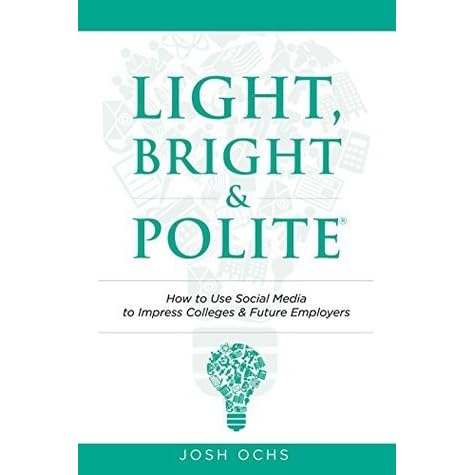 Almost anything you post on social media will come back to haunt you. In Light, Bright & Polite for Parents & Teens, it teaches you that anything you post or say can be held against you. At a young age, adolescents download social media and are so quick to post. Even when you think your posts are private or they were taken down, they are still surfacing the internet. You could be the most intelligent person, but one wrong post can ruin your life before it even starts. By avoiding foul language, politics, and inappropriate content, you can build a positive look for yourself.
Comments
Post a Comment